
Live debugger
Use the live debugger to pause a run, find out why a call failed and retry it with a fix.
Attach while a run is queued or running. Watch is read-only; with permission you can take control. At a failed call the browser stays open. Nothing needs adding to your script.
Find your place
Section titled “Find your place”The pause banner shows why the run stopped, the step and source line, and who paused it. For a missing element it offers healer candidates to try.
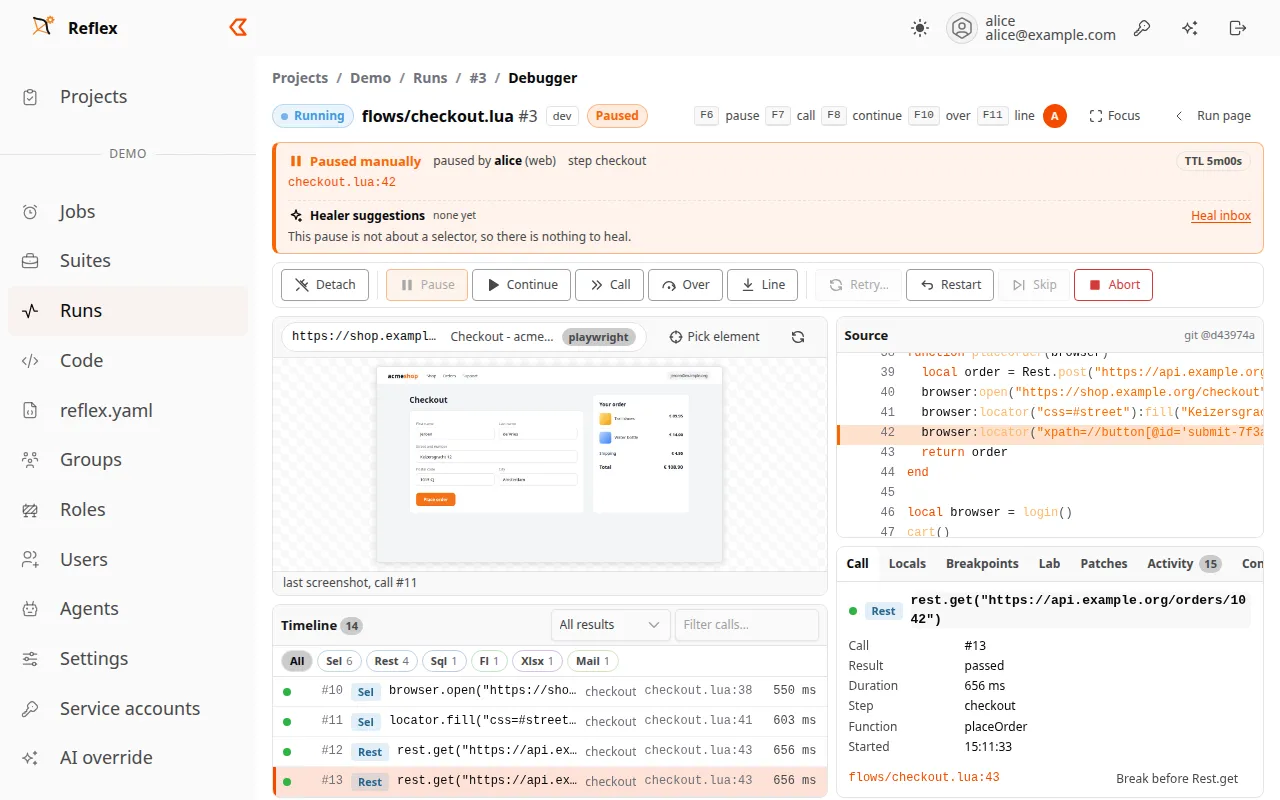
- The timeline lists every traced library call. Filter by library, result or text.
- Select a call to see its arguments, result, duration and error in Call.
- Console holds console and network events.
Controls
Section titled “Controls”| Control | What it does | Key |
|---|---|---|
| Pause | Stop at the next safe point. A blocking call may need to finish first. | F6 |
| Continue | Resume. A failed call fails its step as usual. | F8 |
| Call | Run to the next library call. | F7 |
| Over | Go to the next line in the same frame. | F10 |
| Line | Go to the next Lua line, including inside functions. | F11 |
| Retry | Repeat the failed or pending call, optionally with changes. | |
| Restart | Reload the script and rerun the current step from its start. | |
| Skip | Skip the pending call, return nil and continue. | |
| Abort | Cancel the run. |
If line stepping is unavailable, use Call. Retry and Restart can repeat real side effects, such as sending an order. Press / to search the timeline.
Breakpoints and variables
Section titled “Breakpoints and variables”- Click the source gutter to set or remove a line breakpoint.
- In Breakpoints, add a call pattern such as
Rest.*,Sql.queryorLocator.click, optionally with a Lua condition. You can also break on navigation or a browser console error. - At a pause, Locals shows the variables of the paused frame. Evaluate a Lua expression there to inspect a value. Evaluation can have side effects and is not available in watch mode.
Fix the call
Section titled “Fix the call”Open Retry… and enter a new selector or new arguments (Lua expressions, evaluated in the paused frame). Tick Apply everywhere to use the new selector for every later call in this run that used the old one.
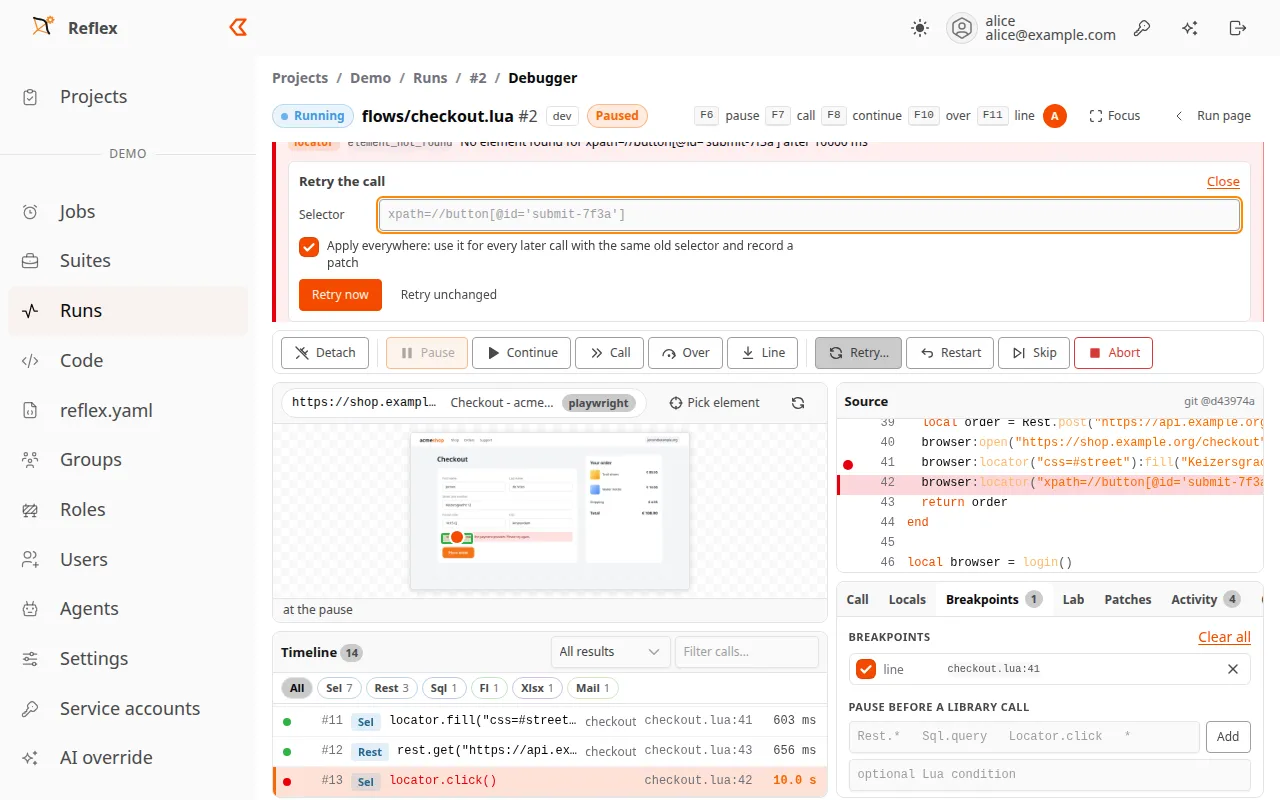
Each change is recorded in Patches, with its source file and line or locators.yaml entry. Copy the combined diff or apply it from the CLI. A live fix does not change your files. Commit the patch to keep the fix.
Pick and test selectors
Section titled “Pick and test selectors”The live viewport streams the page. Pause stream stops the pictures, not the run.
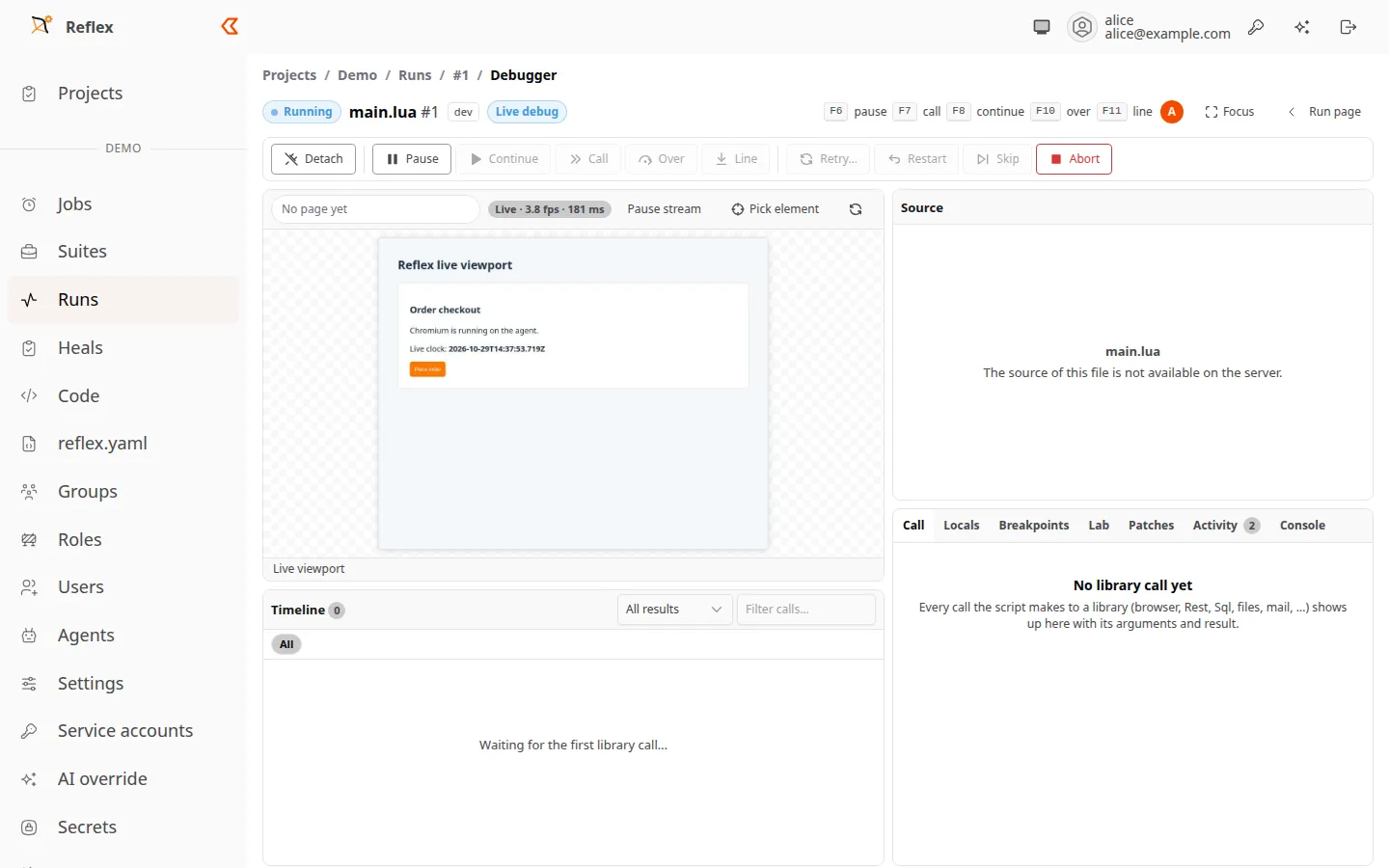
- Choose Pick element and click the viewport. This identifies the element; it does not click the application.
- Read the suggested durable selectors.
- In Lab, test a selector and check its matches and stability.
- Choose Use this selector (retry everywhere).
Stay connected
Section titled “Stay connected”Activity shows who joined and which commands people and AI tools sent.
Detaching leaves the run running. If the last controller disconnects during a pause, the run waits for a reconnect: 10 minutes for local dev runs, 5 for remote dev runs, 1 for jobs and suite scripts. Then it continues, and a failed call fails normally. A watch client does not keep a pause alive.